I’ve started a fairly standard process of writing a Google Doc when I’m trying to learn something technical that I don’t understand and then if its half useful posting it to WordPress.
I know I could then copy paste the code from there to WordPress – but I’m a fan of writing WordPress posts in Markdown. For one reason, I need to switch all the titles to be one level lower in WordPress than Google Docs and its simpler to do that in Markdown. Also and code I put into Courier font in Google docs gets converted to code in Markdown, but gets lost when copying and pasting.
So I’ve found that there’s a script to export Google Docs. There is an annoying issue in that you have to re-do the steps everytime you want to export a document to Markdown. To get around this, I suggest that you just have one document that you use for converting to Markdown and copy/paste each Google Doc into that. Upon running the script from the Script Editor you get emailed a markdown version of your document.
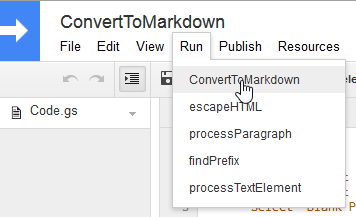
Then copy & paste the markdown syntax into WordPress.
 Ian Channing
Leave a comment